CODE
Oracle Code Library
JOBS
Find Or Post Oracle Jobs
FORUM
Oracle Discussion & Chat
HOME | BROWSE | SEARCH | REFERENCE | ADD CODE | LINKS | SPONSORS
SQL University.net courses meet the most demanding needs of the business world for advanced education in a cost-effective manner. SQL University.net courses are available immediately for IT professionals and can be taken without disruption of your workplace schedule or processes. Click here to find out more.
Search the Reference Library pages:  
Help us help you! Take our 1-minute PSOUG survey. Free Oracle Magazines & Oracle White Papers

Oracle Application Server
Version 10.1.3.0.0
 
Resources
Links of Interest Download CDs
System Requirements

* Checked by installer
Network Stand-alone or networked
IP Address Static or allocated using DHCP: Issues related to dynamic and altering
Host Name Fully qualified name is not longer than 255 characters
Processor Type Pentium (32-bit)
Processor Speed 300MHz or faster
Memory * 512MB
Disk Space * 1.05GB for J2EE Server, Web Server and Oracle SOA Suite
Space in /tmp 400MB
Swap Space 512MB
Monitor 256 color display
Supported Browsers
  • Microsoft Internet Exploiter 6.0 SP2 (Windows only)
  • Netscape 7.2
  • Mozilla 1.7
  • Firefox 1.0.4
  • Safari 1.2, 2.0 (Apple Macintosh)
Operating System Installation and Configuration
Option instructions for RedHat 3 AS # Verify CPU
$ cat /proc/cpuinfo | grep name

# Verify CPU speed
$ cat /proc/cpuinfo | grep MHz

# Verify the Linux version
$ cat /etc/issue

# Verify the update is installed
$ cat /etc/redhat-release

# Verify kernel version is 2.4.21-138 (or later)
$ uname -r

# Verify packages are appropriate
#  gcc-3.2.2-38 or later
#  make-3.79 or later
#  binutils-2.12
#  openmotif-2.2.2-124
$ rpm -q gcc make binutils openmotif

# if a package is missing download it and install with:
# rpm -i <package_name>

# Verify the amount of RAM
$ grep MemTotal /proc/meminfo

# Verify the amount of swap space
$ grep SwapTotal /proc/meminfo

# Verify the amount of free disk space
$ df -h

# Verify /tmp space
$ df -k /tmp

# Verify monitor
$ /usr/X11R6/bin/xdpyinfo
As root: Create DBA Group and Oracle User

Do this on all servers
$ /usr/sbin/groupadd oinstall
$ /usr/sbin/groupadd dba
$ /usr/sbin/useradd -m -g oinstall -G dba oracle
$id oracle

$passwd oracle
-- set the password to oracle1

# Verify group membership
$ groups oracle

$ id nobody
-- if nobody does not exist then
$ /usr/sbin/useradd nobody
As root: Create Installation Directories

Do this on all servers
mkdir -p /app/oracle
chown -R oracle:dba /app/oracle
chmod -R 775 /app/oracle

mkdir /stage
chown -R oracle:dba /stage

As root: Alter Kernel Parameters in sysctl.conf by appending the highlighted text.

Do this on all servers
cd /etc

vi sysctl.conf
fs.file-max = 65536
kernel.shmall = 2097152
kernel.shmmax = 2147483648
kernel.shmmni = 4096
kernel.sem = 250 32000 100 128
net.core.rmem_default = 1048576
net.core.rmem_max = 1048576
net.core.wmem_default = 262144
net.core.wmem_max = 262144
net.ipv4.ip_forward = 0
net.ipv4.conf.default.rp_filter = 1
net.ipv4.ip_local_port_range = 1024 65000

-- Activate changes
/sbin/sysctl -p

Optional Verifications
# Verify parameters are correct
/sbin/sysctl -a | grep shm
/sbin/sysctl -a | grep sem
/sbin/sysctl -a | grep file-max
/sbin/sysctl -a | grep ip_local_port_range

. /proc/sys/kernel/sem
. /proc/sys/kernel/shmall
. /proc/sys/kernel/shmmax
. /proc/sys/kernel/shmmni
. /proc/sys/fs/file-max
. /proc/sys/net/ipv4/ip_local_port_range
. /proc/sys/net/core/rmem_default
. /proc/sys/net/core/rmem_max
. /proc/sys/net/core/wmem_default
. /proc/sys/net/core/wmem_max
As root: Set Shell Limits

Do this on all servers
cd /etc/security

-- Modify limits.conf
cat >> /etc/security/limits.conf <<EOF
oracle soft nproc 2047
oracle hard nproc 16384
oracle soft nofile 4096
oracle hard nofile 65536
EOF

-- Modify login
-- must NOT be the last line in the file
session required /lib/security/pam_limits.so

-- Modify Console/X Windows
cat >> /etc/pam.d/xdm <<EOF
session required pam_limits.so
EOF
As root: Change Default Profile

Do this on all servers
cd /etc

-- if Bourne, Korn or Bash shell
cat >> /etc/profile <<EOF
if [ \$USER = "oracle" ]; then 
  if [ \$SHELL = "/bin/ksh" ]; then
    ulimit -p 16384
    ulimit -n 65536
  else
    ulimit -u 16384 -n 65536
  fi
fi
EOF

-- if C shell
cat >> /etc/csh.login <<EOF
if ( \$USER == "oracle" ) then
  limit maxproc 16384
  limit descriptors 65536
end if
EOF
Verify Ports in use # By default Oracle's HTTP Server uses port 7777

$ netstat -an | grep 77

# To use custom port numbers create a staticports.ini file
Oracle HTTP Server port = <port_num>
Oracle HTTP Server SSL port = <port_num>
Oracle Notification Server Request port = <port_num>
Oracle Notification Server Local port = <port_num>
Oracle Notification Server Remote port = <port_num>
ASG port = <port_num>

# There is a file template at Disk_1:mount_point/stage/Response/
As root: Append servers to hosts file

Do this on all servers
cd /etc

vi hosts
192.168.1.254 bigdog bigdog.psoug.org

-- ping all hosts (substitute actual node names for the "omega")

ping 192.168.1.1
ping www.oracle.com
ping omega1
ping omega1.psoug.org
Prepare files for installation -- as UNIX user Oracle

$ cd /stage

$ ls -al

$ cpio -idv < as_linux_x86_101300_disk1.cpio

$ ls -al
 
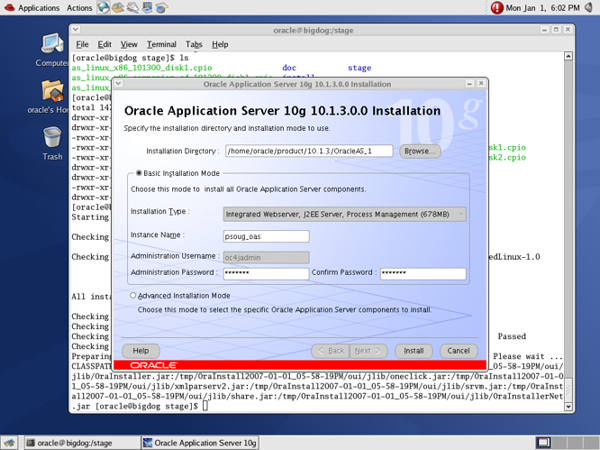
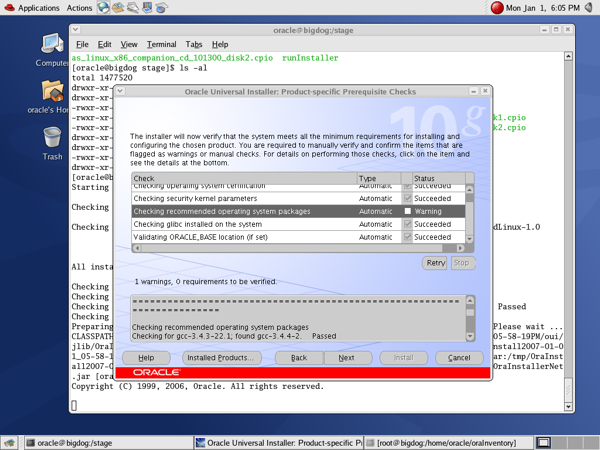
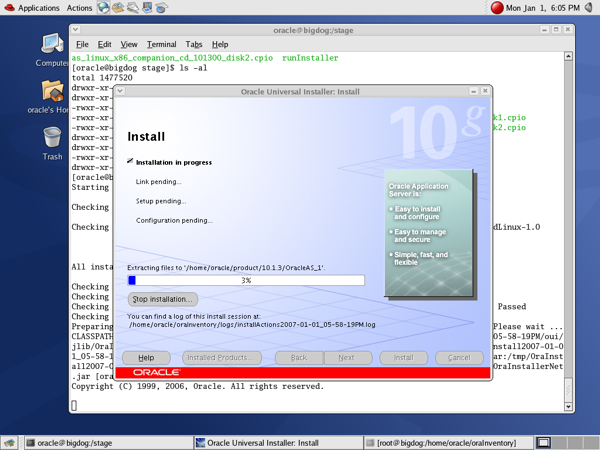
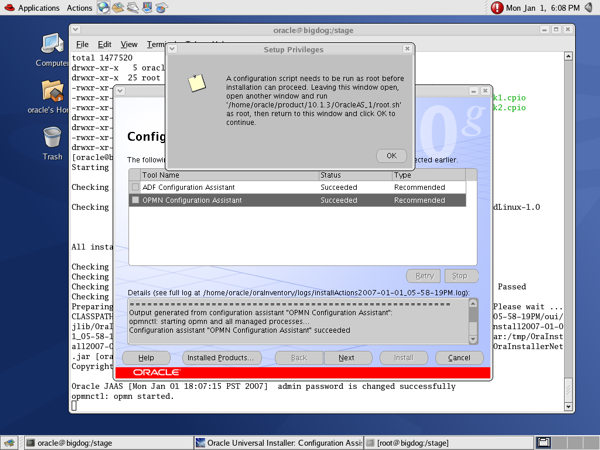
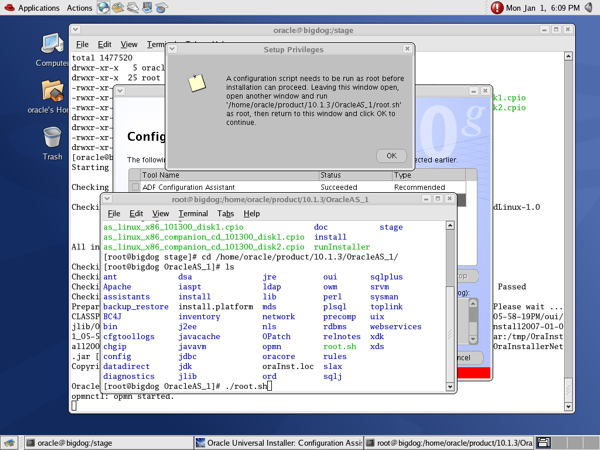
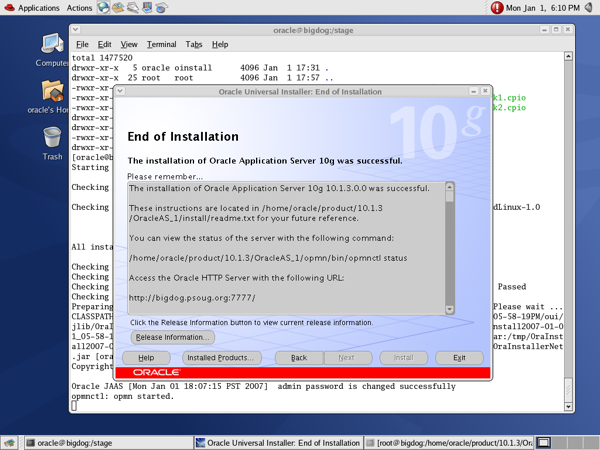
Screen 1
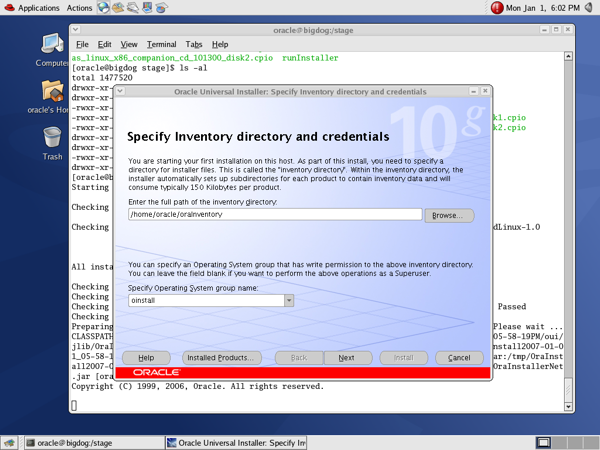
Screen 2
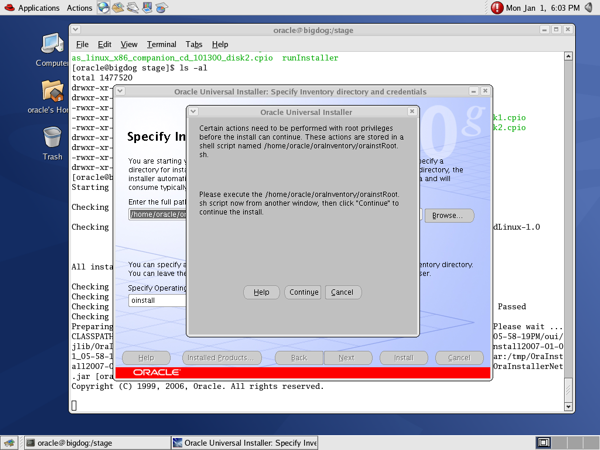
Screen 3
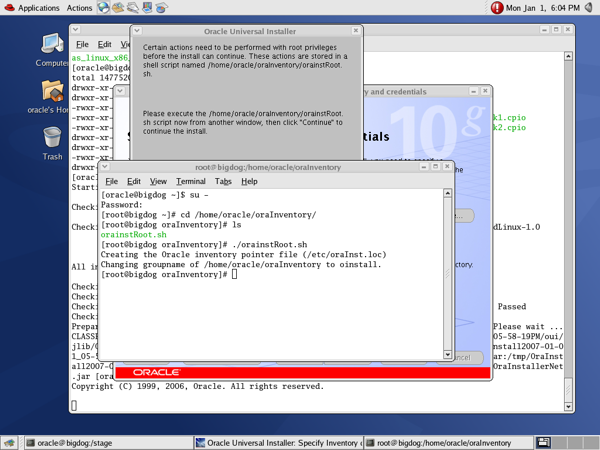
Screen 4
Screen 5
Screen 6
Screen 7
Screen 8
Screen 9
 
Oracle Home
OMR/OMS Server .bashrc
as root (check out .profile file)

For PSOUG classes this goes on the "1" machine (alpha1, beta1) only.
# cd /home/oracle

vi .bashrc

-- append the following:
# User specific aliases and functions
# Source global definitions
if [ -f /etc/bashrc ]; then
  . /etc/bashrc
fi

ORACLE_BASE=/app/oracle/product/
ORACLE_HOME=/app/oracle/product/10.1.3/OracleAS_1
OPMN_HOME=/app/oracle/product/10.1.3/OracleAS_1/opmn
LD_LIBRARY_PATH=$ORACLE_HOME/lib:$LD_LIBRARY_PATH
TMP=/tmp
TEMP=/tmp
TMPDIR=/tmp
PATH=$ORACLE_HOME/bin:$OMS_HOME/opmn/bin:$PATH
export PATH ORACLE_BASE ORACLE_HOME TMP TEMP TMPDIR LD_LIBRARY_PATH

alias oh='cd $ORACLE_HOME'
alias sql='sqlplus "/ as sysdba"'
After Installation
Verify Installation # Verify assigned ports
$ ORACLE_HOME/opmn/bin/opmnctl startall
$ ORACLE_HOME/opmn/bin/opmnctl status -l

-- root directory
$ cd /
$ ls -al

-- Oracle home directory
$ cd $ORACLE_HOME
$ ls -al

-- inventory directory
$ cd ?

$ ls -al

-- information on Oracle homes
$ cd /etc
$ ls -al

-- installer files only needed during installation
$ cd /tmp
$ ls -al
 
 
Contact Us Legal Notices and Terms of UsePrivacy Statement
Home      :      Code Library      :      Sponsors      :      Privacy      :      Terms of Use      :      Contact Us [29 visitors online]    © 2009 psoug.org